01
Simple Clipping Path
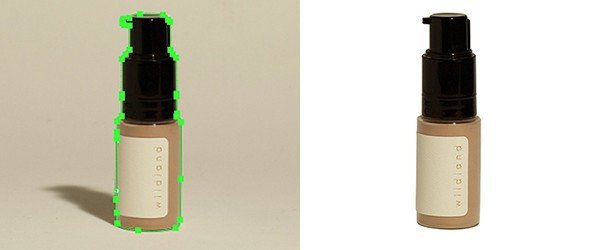
For clearly defined products with straightforward outlines and few internal gaps. Representative examples help confirm the complexity.
For clearly defined products with straightforward outlines and few internal gaps. Representative examples help confirm the complexity.
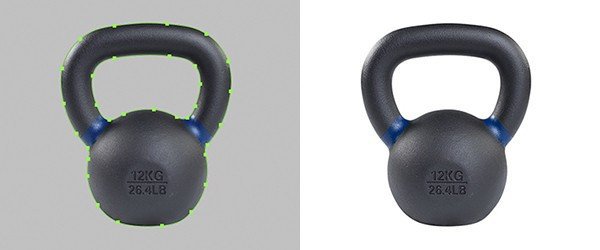
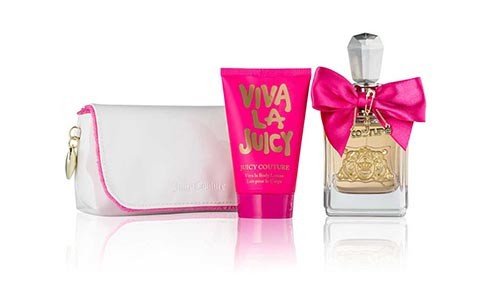
For products with several curves, connected shapes or internal gaps that need more detailed outlining.
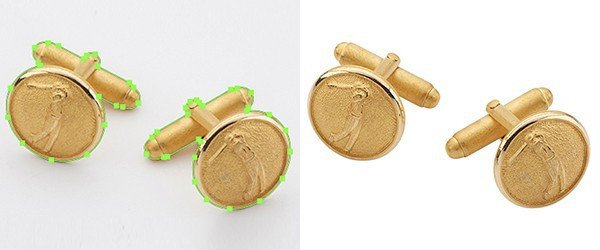
For intricate products with many edges and cut-outs. Send representative images so the required outlining can be assessed.
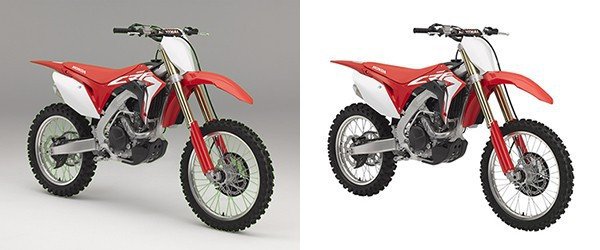
For highly detailed subjects with dense curves and numerous internal openings. The actual source images determine the work involved.
A clipping path is a closed vector outline that separates an object with defined edges from its background. It follows the shape of the product and can include the openings inside handles, straps or other details. The isolated subject can then be prepared for a white background, a transparent file or a new layout.
This approach suits products such as shoes, bags, furniture, accessories and other solid objects. A simple outline needs less work than a detailed piece of jewelry with many gaps. Fine hair, fur, translucent fabric and soft shadows often need image masking rather than a hard-edged path.
At Best Clipping Path, you can send representative images and describe the result you need before arranging a larger project. Include your background preference, image quantity and output requirements so the scope can be reviewed. Retouching, color changes and shadow work should be requested separately when they are part of your brief.
Specify the finish you need for your product images. A clear brief helps define the cutout, background and delivery requirements.
Define the outer shape of each product, including curves and corners. Identify details that must remain visible in the finished cutout.
Include the visible background inside handles, straps and product openings. These areas should be considered alongside the outer edge.
Request a white, transparent or specified background. Let us know whether the original shadow should remain or needs separate editing.
Specify image dimensions, crop, spacing and file format. If you need a saved path or editable file, include that in your requirements.
The same product cutout can support different publishing needs. Your intended use helps determine how the final image should be prepared.
Prepare product images for store collections and marketplace listings. Supply the platform requirements instead of assuming one size fits every channel.
Include isolated product images in client deliveries. Use approved examples to explain the edge finish and file structure your client expects.
Place product cutouts into campaign artwork and promotional layouts. Keep the original product proportions and important identifying details intact.
Prepare coordinated images for print and digital catalogs. Share the layout specifications, background and crop required for the collection.
Choose the editing method according to the subject’s edges and the result you need. Share a sample if your images combine several edge types.
Shoes, bags, furniture and many accessories have defined outlines that suit a path. Fine textures around the edge still need careful assessment.
Products with chains, handles or repeated gaps need more detailed paths. The number of openings can affect the work involved and the quote.
An isolated subject can be reused in catalogs, banners and advertising layouts. Specify the intended background and positioning for the final files.
These subjects usually need masking or a combined approach. A hard-edged path alone may remove soft detail or produce an unnatural result.
A useful brief reduces uncertainty about the result. Agree on the scope and delivery requirements before starting a larger batch.
Send clear originals and examples of both simple and detailed products. Upload the files or provide an accessible download link.
Explain the background, crop and details to retain. Attach a reference when you want a specific edge treatment or presentation style.
Use Get Free Trial to assess the result on your own images. Check edges, internal openings and product details against your brief.
Provide the total image count, preferred file format and deadline. Confirm the price and schedule for the agreed scope of work.
Answers to common questions about choosing the method and preparing a useful editing brief.
Have images ready to edit? Share your requirements and a reference so we can help define the next step.
Send your images, explain the edits and follow your project through to delivery.
Upload your Images or share a file link. You can also send samples for a quote.
Tell us what to change. Add a sample and your preferred deadline.
Log in to your customer panel to check your order status and details.
Download your edited photos from your customer panel and check the results.


