01
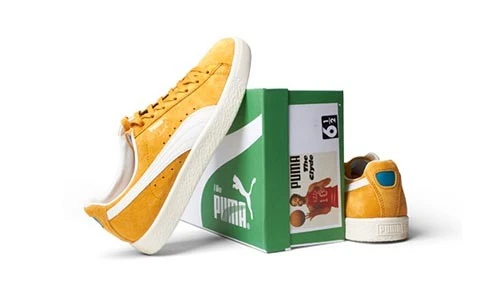
Product Listing Images
Coordinate backgrounds, crop and positioning for your store or marketplace. Supply the current image specifications for each sales channel.

Coordinate backgrounds, crop and positioning for your store or marketplace. Supply the current image specifications for each sales channel.
Refine agreed distractions while retaining fabric texture and product details. Specify wrinkle treatment and any separate mannequin or reshaping work.
Prepare detailed product images with careful edge and reflection treatment. Preserve settings, labels and features that identify the actual product.
Create consistent framing for large or irregular products. Define the background, texture treatment and shadow style for your collection.
Product photos help shoppers understand what they are buying. A useful edit makes the product easier to inspect while preserving the shape, color, texture and details that matter. Consistent backgrounds, framing and presentation also help a collection look coordinated across an online store.
Best Clipping Path offers e-commerce photo editing for product listings, catalogs and promotional use. Your brief can include background removal, crop and alignment, color adjustments, surface cleanup and shadow treatment. The required combination depends on your originals and the intended sales channel.
Editing should support an accurate product presentation. Share a reference, identify details that must remain and specify the output requirements. Marketplace rules differ, so provide the current specifications for each channel rather than expecting one image format to suit every listing.
Choose the edits your collection needs. Confirm the scope before starting the batch so important finishing decisions are consistent.
Request a white, transparent or specified background. Explain how to handle internal openings, fine edges and the original shadows so the subject remains natural.
Define canvas dimensions, margins and product positioning. Coordinated framing can make a collection easier to browse without stretching or changing the product’s proportions.
Supply a reliable reference when color accuracy matters. Ask for balanced exposure and consistent tone while retaining differences between materials and product variants.
Specify dust, stray marks or distractions to remove. Preserve real product features; confirm separately if you need an existing shadow refined or a new shadow created.
The right brief reflects your product range and publishing workflow. Include a sample of each image type you expect to submit.
Prepare a coordinated product collection for category pages and individual listings. Include the required views, canvas sizes and background style for your storefront.
Adapt product images to the sales channels you use. Provide their current requirements for backgrounds, dimensions and allowed image content before editing starts.
Prepare client-ready files from a product shoot. Supply an approved reference and separate instructions for hero shots, detail images and alternate angles.
Keep presentation consistent across launches and catalogs. Use a shared specification for crop, color references, shadows and delivery filenames.
Different materials need different treatment. A representative sample helps establish how much editing is appropriate for the collection.
Define how folds, wrinkles, fabric texture and fine edges should be treated. Ghost mannequin work or reshaping needs a separate brief and suitable source images.
Keep fine details, settings and identifying features visible. Explain which reflections are distracting and which help communicate the material’s real appearance.
Coordinate crop and positioning across large or irregular objects. Preserve upholstery texture, visible openings and a believable relationship between the product and its shadow.
Keep labels and packaging details legible. Provide a reference for each color variant; image editing should not invent a product version that you do not sell.
Use a small, representative selection to agree on the finish before applying it to the full collection.
Upload source images or provide an accessible file link. Include both straightforward products and difficult materials, plus examples of the desired presentation.
List canvas size, background, crop, output format and required views. Separate the specifications when your website and marketplaces need different versions.
Use Get Free Trial to assess the treatment on your own images. Check edges, color, texture, label clarity and consistency against your reference.
Provide total image quantity, product groups and deadline. Agree on the editing scope, price, filenames and delivery format before placing the full order.
Answers to common questions about preparing product photos for online sales.
Have images ready to edit? Share your requirements and a reference so we can help define the next step.
Send your images, explain the edits and follow your project through to delivery.
Upload your Images or share a file link. You can also send samples for a quote.
Tell us what to change. Add a sample and your preferred deadline.
Log in to your customer panel to check your order status and details.
Download your edited photos from your customer panel and check the results.