01
Product Retouching
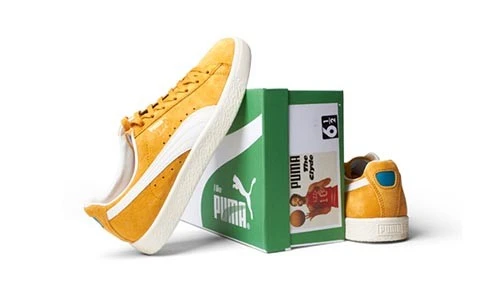
Refine dust, temporary marks and agreed surface distractions in product photos. Preserve material texture, labels and details that accurately describe the item.

Refine dust, temporary marks and agreed surface distractions in product photos. Preserve material texture, labels and details that accurately describe the item.
Treat selected blemishes and distractions while retaining natural skin detail. Share a reference and define which distinctive features should remain untouched.
Refine unwanted marks and distracting reflections in jewelry images. Preserve settings, engravings and important details that identify the actual product.
Adjust agreed clothing distractions and presentation details in fashion images. Define wrinkle treatment and texture retention, with reshaping specified separately.
Image retouching refines selected details in a photograph while keeping the subject believable. It can address temporary distractions, uneven presentation and small surface imperfections that draw attention away from the product or person. A useful retouch preserves the texture and identifying features that make the image authentic.
Best Clipping Path offers retouching for product photos, portraits and commercial images. Your brief can include dust cleanup, blemish treatment, fabric refinement or selected lighting and tonal adjustments. The amount of work depends on the original image and the finish you want, from restrained cleanup to a more polished campaign presentation.
Explain what should change and what must remain. Product wear, material texture, skin detail, labels and distinctive features should not be removed by assumption. Share a reference and review a representative sample so the editing scope is clear before the full batch begins.
A detailed brief separates unwanted distractions from features that accurately represent the subject. Agree on the treatment before editing a collection.
Identify dust, stray marks and temporary distractions to remove. Keep real material features, packaging information and product details intact unless a specific change is agreed.
Specify the level of refinement you prefer for skin, fabric or other surfaces. The goal should be a consistent finish without unnecessary smoothing or loss of detail.
Request selected brightness and tonal adjustments where useful. Provide references for color-sensitive products and identify lighting characteristics you want to preserve.
Use an approved sample to establish the editing level for a collection. Group images by subject and lighting so adjustments can reflect differences in the originals.
Retouching requirements vary with the subject, audience and publishing destination. Supply examples that reflect your actual project.
Prepare product images with controlled cleanup and a coordinated finish. Preserve accurate colors, material texture and details shoppers need to understand the item.
Refine agreed distractions in portraits and fashion photographs. Explain your preferences for skin texture, flyaway hair, clothing and the overall editing level.
Improve the presentation of intricate or reflective products. Identify unwanted marks while retaining settings, engravings and reflections that describe the material.
Prepare images for campaign artwork and client delivery. Supply the creative reference, approval criteria and output specifications for the intended use.
Retouching can improve visible details, but it cannot reliably recover information absent from the source. These choices help establish practical expectations.
Distinguish dust and temporary blemishes from intentional texture, permanent features or product wear. Specify which details may be removed rather than leaving that decision implicit.
Define the editing level with a relevant reference. A natural catalog image and a stylized campaign image can require different treatment, even when they show the same subject.
Explain which highlights or reflections should remain and which are distracting. Heavy reflections, clipped highlights or deep shadows may limit the detail available for editing.
Send sharp originals with minimal compression and state the intended display size. Blur or very small files can restrict the achievable detail in the finished image.
An agreed sample gives you a practical reference for evaluating the finished batch. Provide instructions before editing rather than relying on broad requests to improve everything.
Upload clear source files or share an accessible download link. Include representative subjects and examples of both restrained and more detailed editing needs.
Identify the areas to adjust and the details to preserve. Use annotated references when useful, and list background removal or compositing as separate requirements.
Use Get Free Trial to assess the finish on your own image. Compare texture, color, shape and important identifying details against the original and your brief.
Provide image quantity, output format, dimensions and deadline. Confirm the scope, price and delivery schedule before the approved sample is applied to a larger collection.
Answers to common questions about editing scope, realistic results and preparing your files.
Have images ready to edit? Share your requirements and a reference so we can help define the next step.
Send your images, explain the edits and follow your project through to delivery.
Upload your Images or share a file link. You can also send samples for a quote.
Tell us what to change. Add a sample and your preferred deadline.
Log in to your customer panel to check your order status and details.
Download your edited photos from your customer panel and check the results.