01
Background Replacement
Place the subject into a specified background or scene. Provide the source assets and define positioning, lighting and the intended presentation style.

Place the subject into a specified background or scene. Provide the source assets and define positioning, lighting and the intended presentation style.
Remove selected distractions from a photograph while preserving nearby details. The surrounding content and concealed areas affect the achievable reconstruction.
Combine supplied photographs into one agreed composition. Use a layout reference to define relative scale, perspective and the placement of each element.
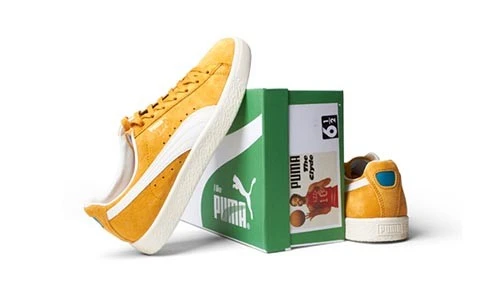
Arrange product elements for a promotional or catalog layout. Preserve accurate product features and clarify which accessories or components are included.
Image manipulation combines or changes elements in a photograph to create an agreed composition. A project may involve replacing a background, removing a distracting object or bringing several source images into one layout. The aim is to make the finished visual coherent in scale, perspective and lighting, rather than simply placing elements together.
Best Clipping Path offers image manipulation for product presentations, promotional artwork and other commercial images. Share the source files, a reference and a clear description of the changes you need. A sketch or annotated example can help explain where each element belongs and which details must remain.
The available photographs influence what can be achieved. Conflicting camera angles, low-resolution sources or missing detail may require a different approach. For product listings, confirm that the final visual accurately represents the item and follows the requirements of its publishing destination.
A clear creative brief helps separate essential edits from optional refinements. Identify the elements and finish you want before the project is quoted.
Provide the replacement background or describe the intended setting. Explain product positioning, surrounding elements and whether the result should be a realistic scene or a graphic layout.
Mark the objects to remove or replace and identify details to preserve. The surrounding image content affects how naturally the area can be reconstructed.
Supply the sources to combine and a layout reference. Compatible angles, lighting and image sizes provide a stronger starting point for a coherent composition.
Define the target appearance for the combined elements. Include any required shadow, reflection or color adjustments so they can be assessed as part of the scope.
The intended audience and publishing context should guide how the final image is constructed and reviewed.
Prepare product-led campaign visuals and promotional layouts. Provide the creative reference, brand requirements and the important features the image needs to communicate.
Create agreed product compositions or alternate presentations. Keep the actual item and included accessories clear, and check the image requirements of each sales channel.
Combine suitable photographs or address agreed distractions after a shoot. Supply the best available originals and explain which elements of the capture should remain unchanged.
Prepare composite visuals for advertisements, catalogs and other layouts. Specify final dimensions, crop, placement requirements and any editable-file needs.
A believable result depends on more than a clean cutout. Review the relationship between the source images and the final layout before editing starts.
Choose sources photographed from compatible viewpoints where possible. Specify how large each element should appear and where it sits relative to the surrounding scene.
Consider the direction and character of light in the source files. Conflicting highlights or shadows can require additional adjustments and should be discussed in the brief.
Provide originals large enough for the intended output. Heavy blur, compression or concealed areas can limit reconstruction, so a sample assessment helps establish practical expectations.
Identify the product features and accessories that must remain true to the item. Avoid a composition that implies an unsupported size, material or included feature.
Start with a clear reference and suitable source files. Agree on the composition before requesting the same treatment across a larger collection.
Upload the required originals or share an accessible download link. Include a reference or annotated sketch that identifies each element and its intended position.
List the background, objects and details to change, plus anything that must stay intact. Explain whether realism or a stylized presentation is the priority.
Use Get Free Trial to assess a suitable sample within the agreed scope. Check perspective, scale, edges and lighting against the intended composition.
Provide image quantity, dimensions, format and deadline. Confirm any separate layers, additional versions and source-image requirements before agreeing on price and delivery.
Answers to common questions about planning a composite image and preparing a useful editing brief.
Have images ready to edit? Share your requirements and a reference so we can help define the next step.
Send your images, explain the edits and follow your project through to delivery.
Upload your Images or share a file link. You can also send samples for a quote.
Tell us what to change. Add a sample and your preferred deadline.
Log in to your customer panel to check your order status and details.
Download your edited photos from your customer panel and check the results.